Templates
How to use Templates
Step 1
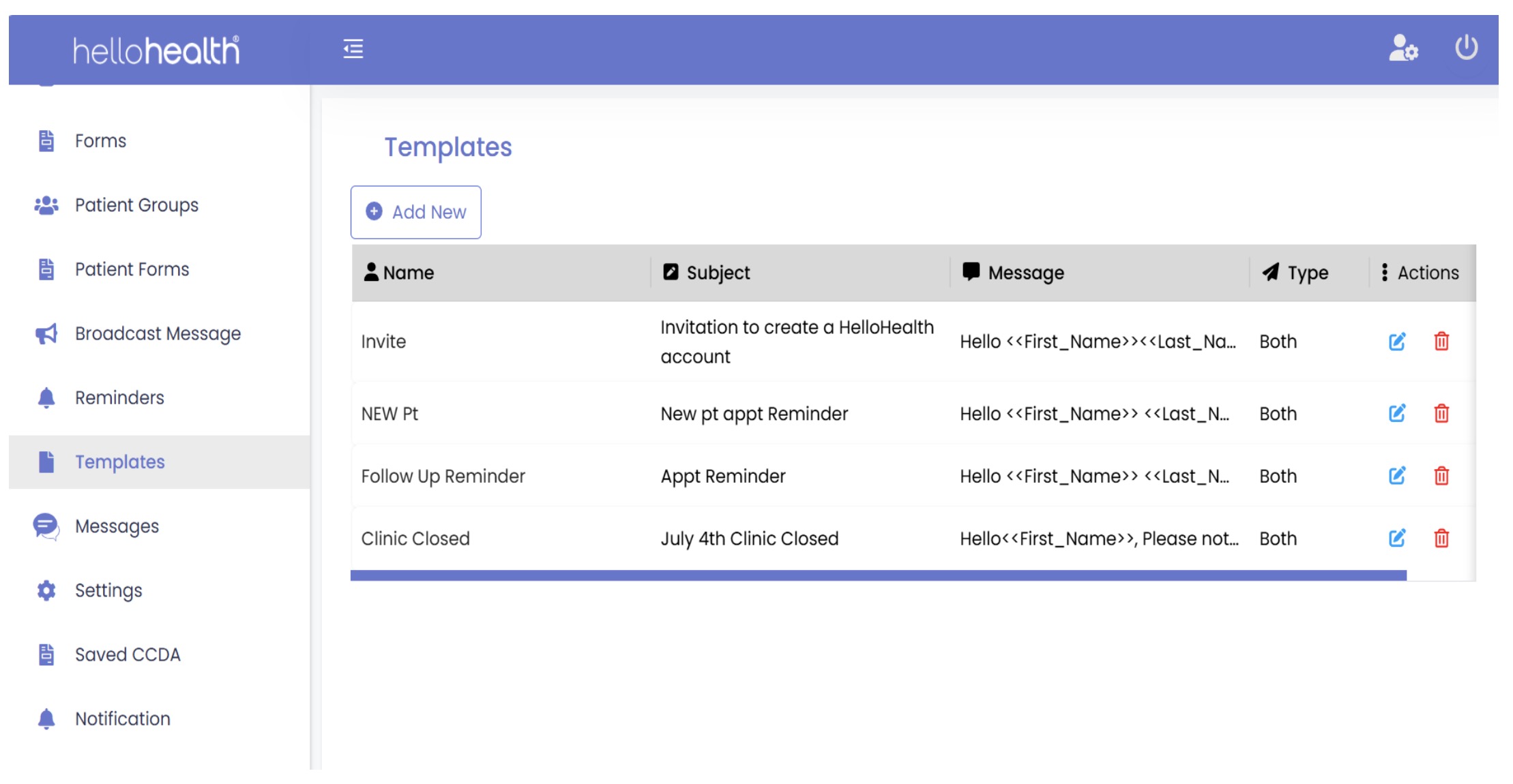
- Log in to HelloHealth and go to the Templates tab on the left. Here, you can create a new template as per your requirements.
Click Add New to create a new template.
Step 2
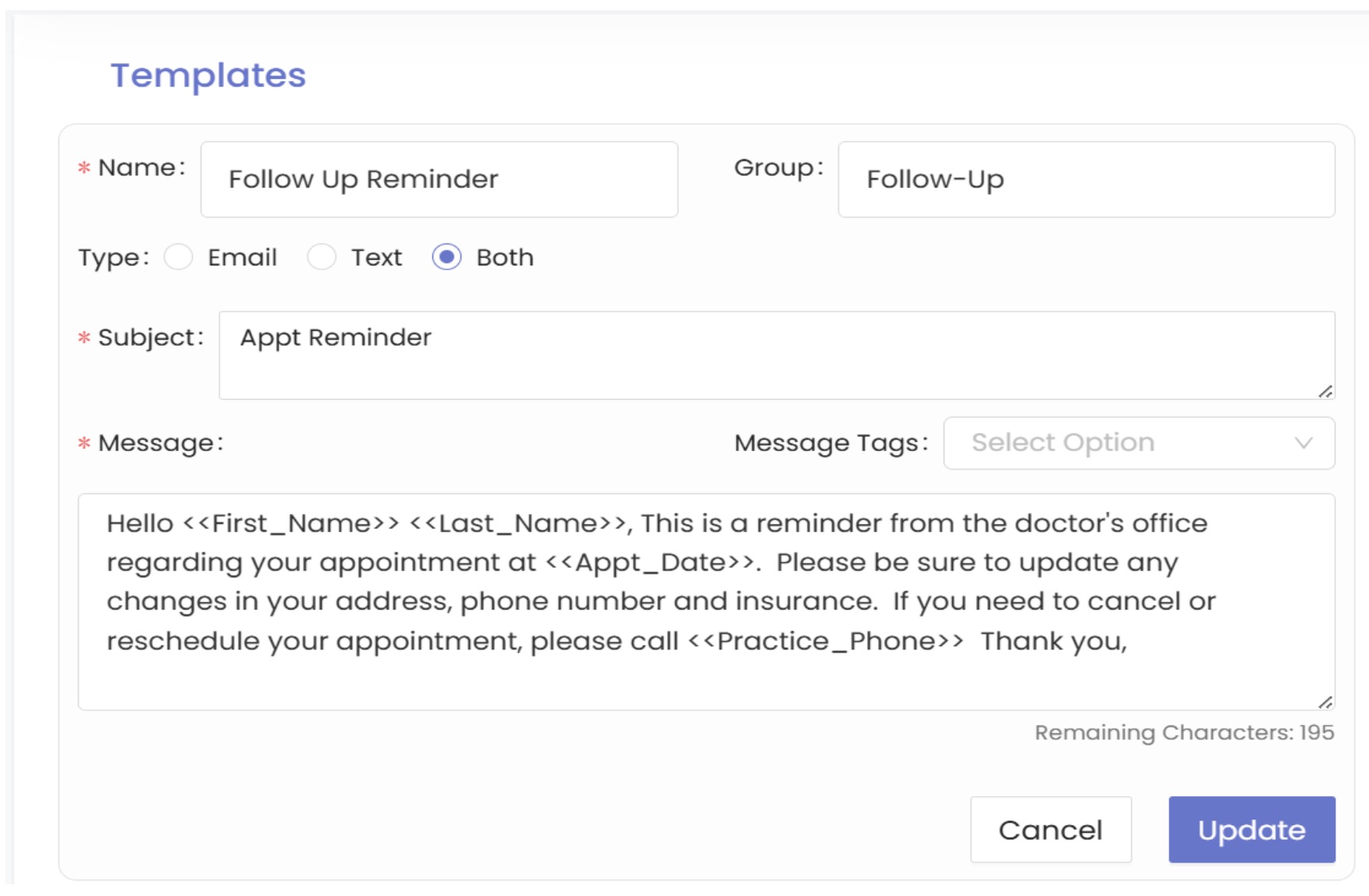
Once a template is created, several fields can be customized, for example, Name, Group, Type, Subject, and Messages; they can be applied to the various templates used in the facility (e.g., messages, broadcast messages & reminders).