Book an Appointment
At HelloHealth, you can easily book appointments with any provider of your choice.
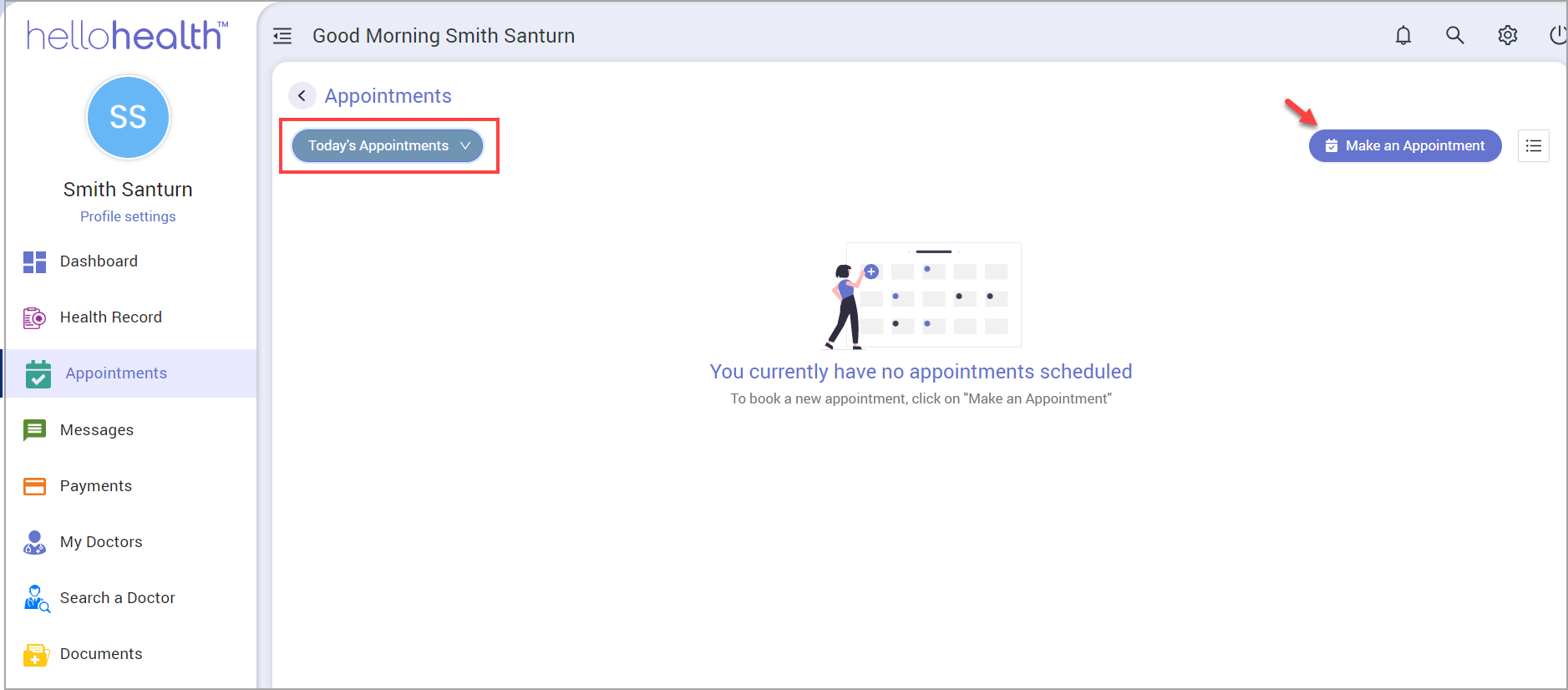
Click on ‘Appointments’ on the left menu. By default, the page lists your appointments for the current day.
Note: From the drop-down highlighted in the image below, you may select ‘Upcoming Appointments’ to view future appointments and ‘All Appointments’ to see all past and future appointments.
How to Book Appointments
- Click “Make an Appointment”on the top-right part of the Appointments screen (see arrow in image above).
- A provider search page appears,listing all the doctors. You can use the filters provided to narrow down your search.
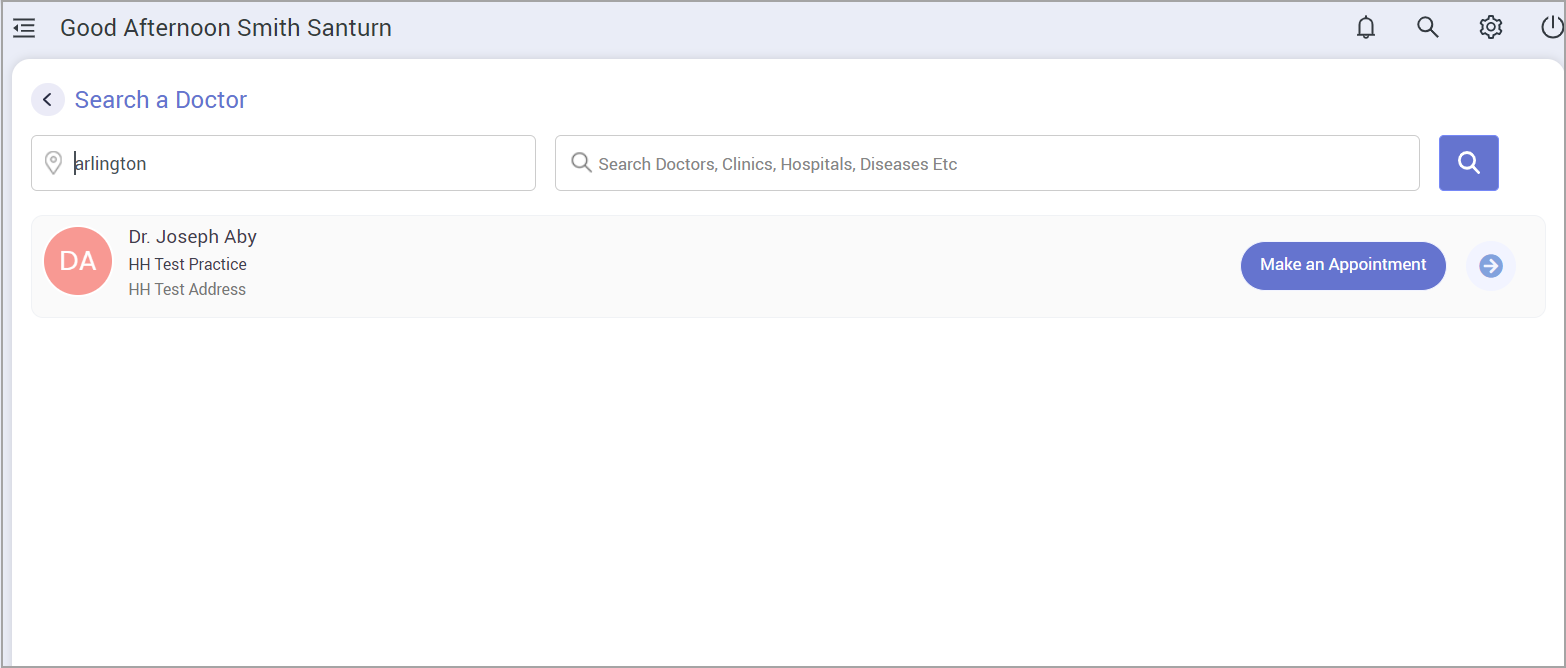
- Once you identify your doctor from the list, click “Make an Appointment” beside him/her.
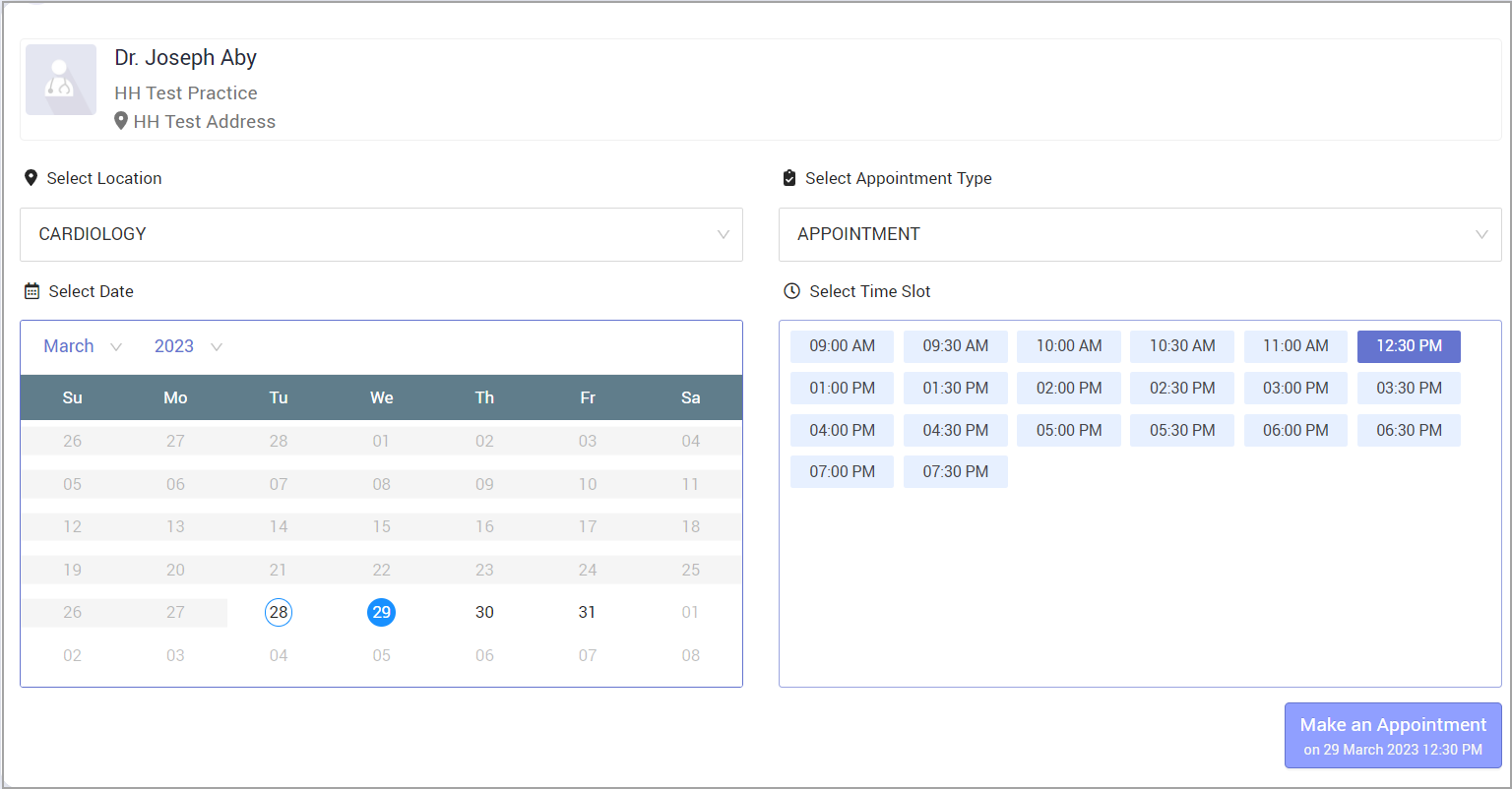
- Select Location and Appointment Type. Then select the date and time from the calendar below.
- Provide a reason for the visit in the upcoming screen and click ‘Book Appointment.’

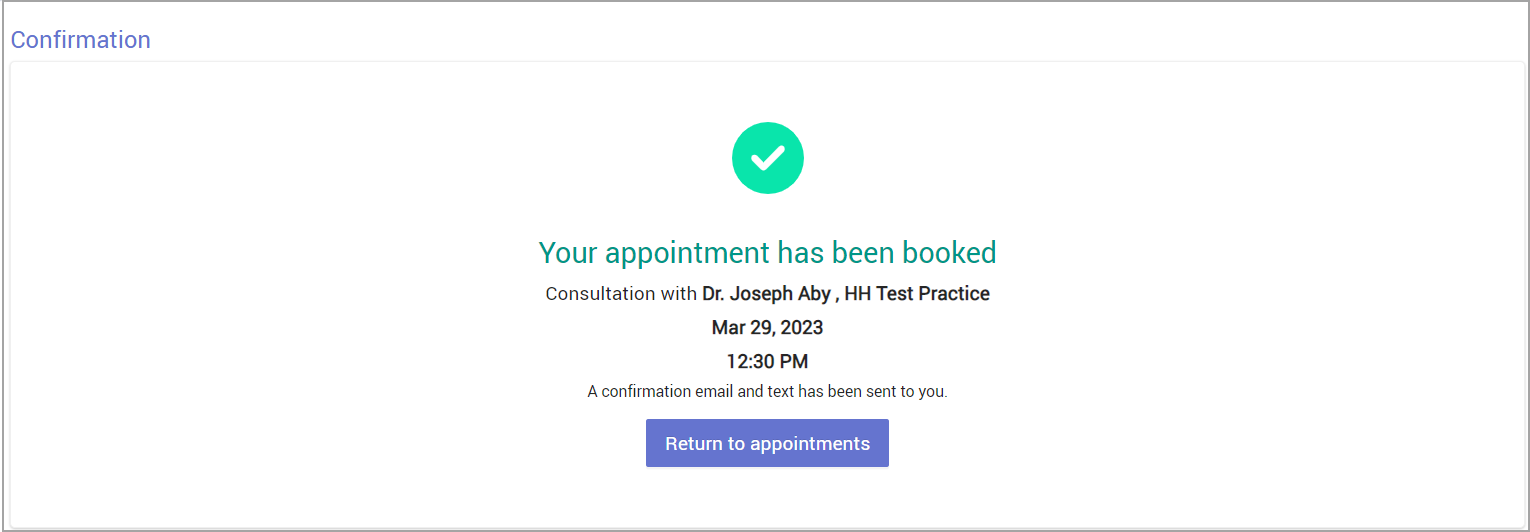
- Upon successful booking, you can see the following message.