Communicate with Doctors
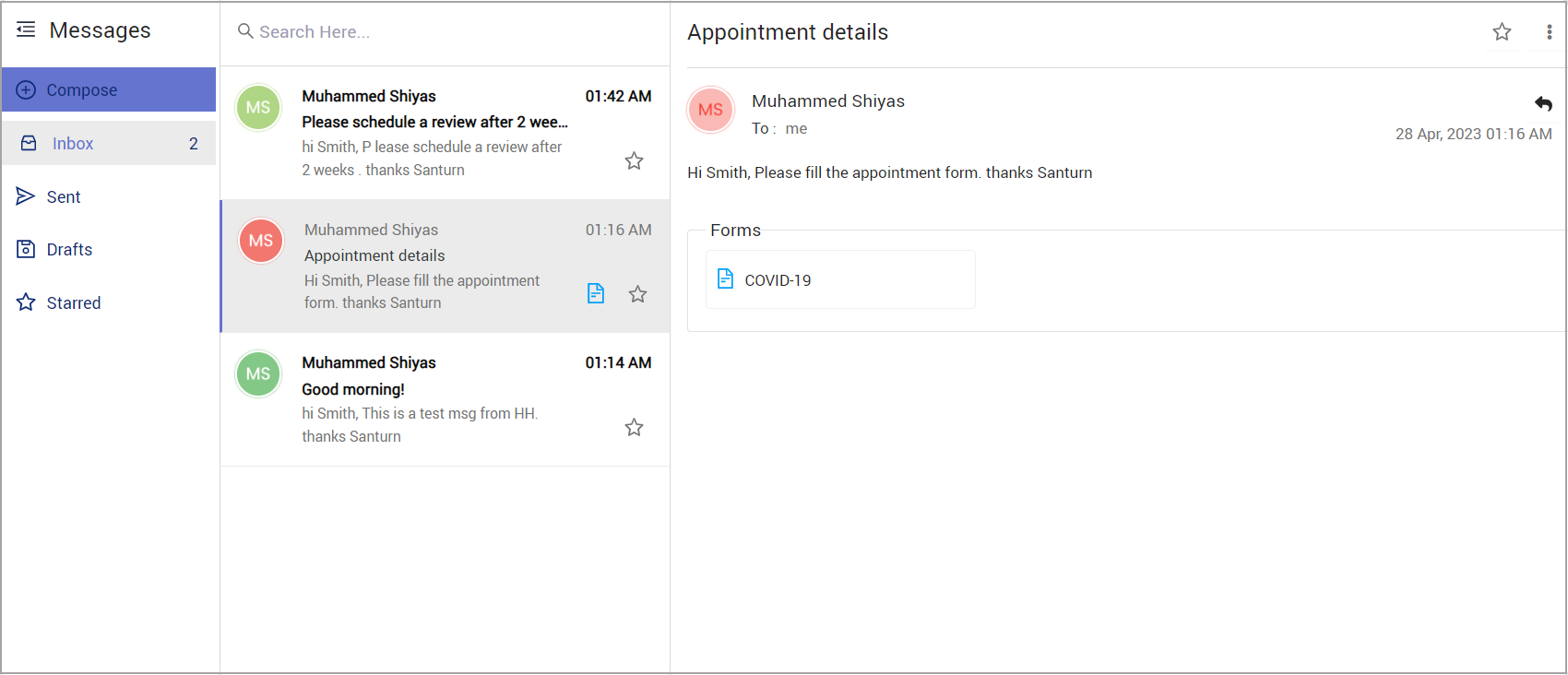
The HelloHealth app makes it easy to communicate with your provider through the ‘Messages’ feature. Click ‘Messages’ on the left menu to take you to the Messaging section.
Here, you can do the following:
- Compose a new message and send it to your provider.
- Fill out forms sent by the provider through the inbox.
- Reply to messages sent by the provider.
- Search for a message using the provider name or subject.
- Draft a message and save it to send later.
- “Star” essential messages— these can later be retrieved quickly from the Starred section.
How to Compose a Message
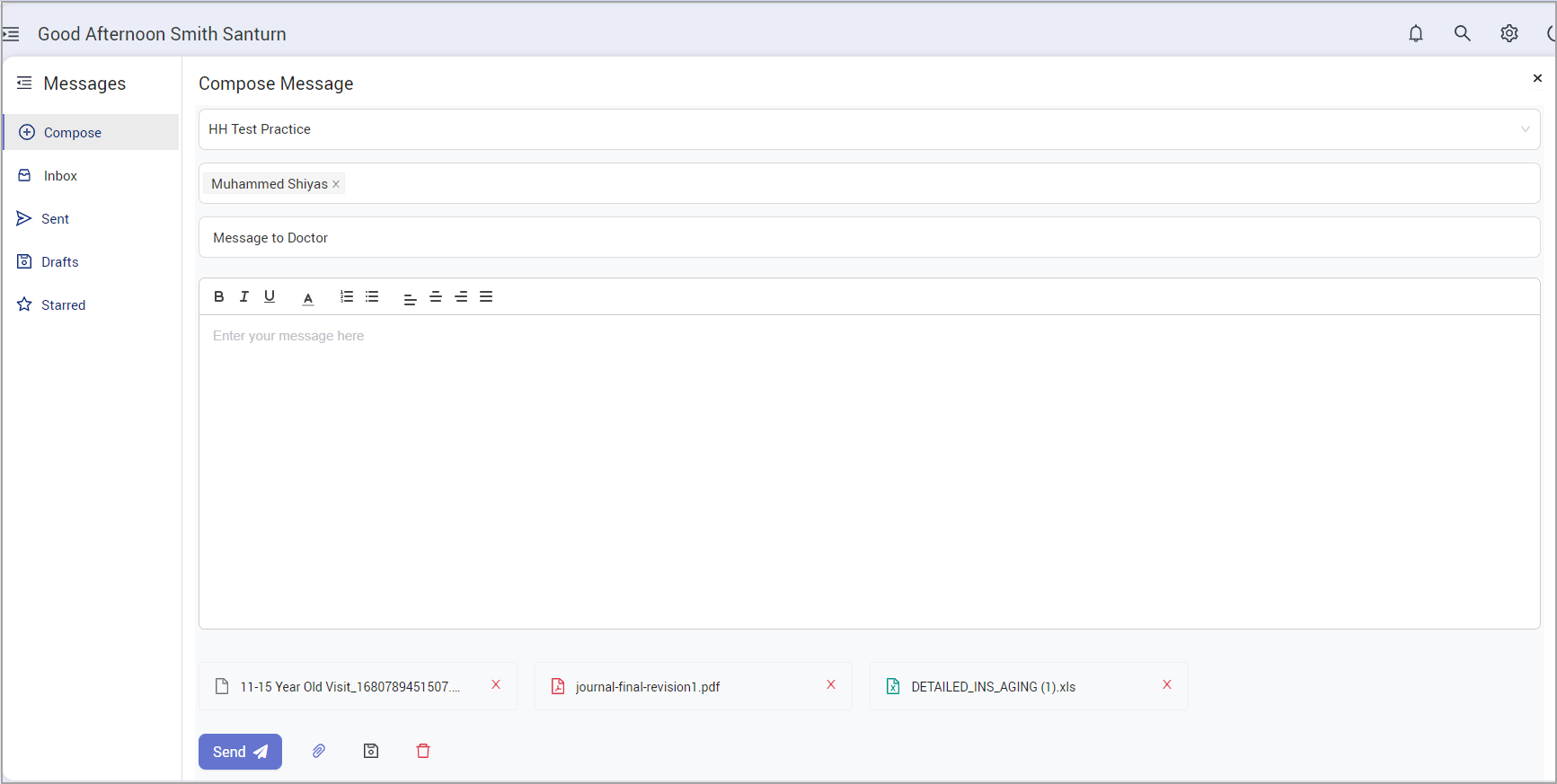
To compose a message, the following fields are necessary:
- Practice— This drop-down is at the top; select a practice, and all the providers under the selected practice will get populated in the Provider drop-down.
- Provider—Click on the Provider field to list all the providers in the selected practice and select your provider(s); you can communicate with as many providers as you choose, provided you are part of their practice.
- Subject— Provide a header for your conversation.
- Body— Type in your message content here.
- Attach, Save draft, and delete options are provided beside the ‘Send’ button.
Attach: Just like a regular message, you can add any number of attachments.
Save Draft: You can type in the content and save it for future use. Saved Drafts can be found in the ‘Drafts’ section.
Inbox
The inbox shows all your received messages; the most recent messages will be at the top, and unread messages will be in bold.