• Patient
  • Practices
  • Contact Us
HelloHealth Support Center
  • Patient
  • Practices
  • Contact Us

Add Family

/Patients / Account / Add Family

Add a Family Member

1. Go to the ‘My Profile’ page and click on the ‘Family Members’ tab beside the Insurance tab.

2. Click on ‘Add Family Member.’
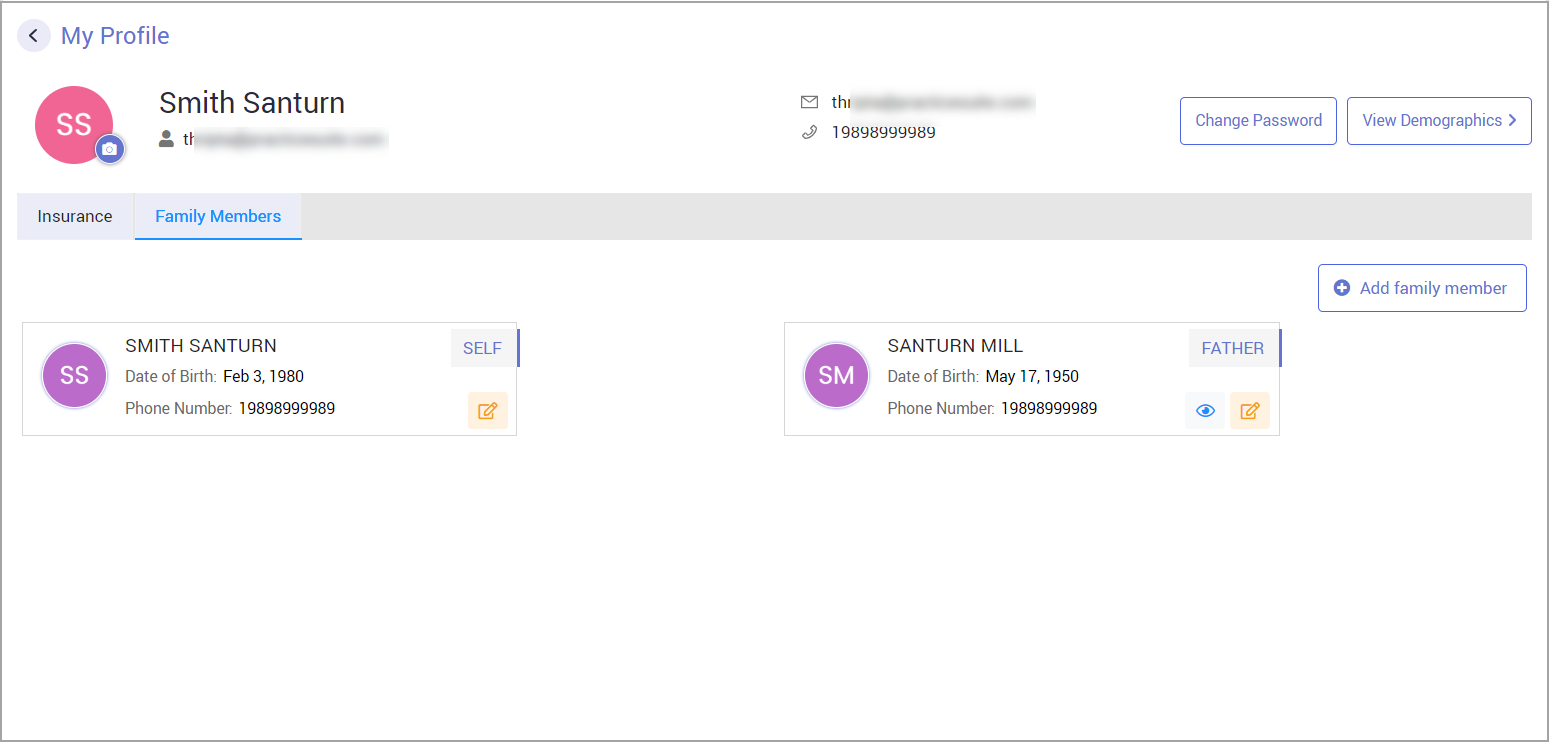
3. Provide all the required demographic details and click ‘Save Changes.’

How to Switch Account to a Family Member

Your account can be switched to another family member by clicking on their profile image on the right side of your image (see Image below).
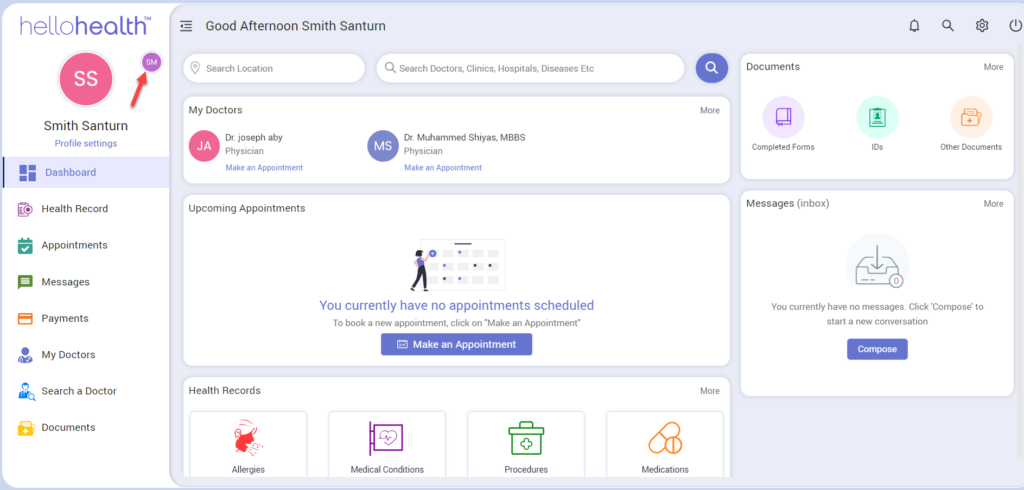
The system will ask for a confirmation. Click Ok, and all records and information will be switched to the selected member.

Tagged: contenido

Related Articles

  • Share Personal & Insurance Information with Doctor

    Share Personal & Insurance Information with the Doctor If you update your personal or insurance details, ...read more

  • Password

    Password How Do I Reset my Password? Once you have signed in to HelloHealth, you can reset ...read more

  • Sign Up

    Sign Up The HelloHealth app allows you to better manage your health through 24/7 access to ...read more

  • Update Profile & Personal Information

    Update Profile & Personal Information To update your HelloHealth profile, you can do either of the ...read more

  • Insurance

    Insurance Where do I find my insurance details on HelloHealth? You can find your insurance details under ...read more

Free, Interactive Billing Training Webinars

Register Here

Categories

  • Patients 15
  • Dashboard 1
  • Patient 7
  • Practices 20
  • FAQs 1

Popular Articles

  • Book an Appointment
  • Sign Up
  • Account
  • Account
  • Manage Patients
  • CCDA
  • Update Profile & Personal Information
  • Add Family
  • Manage Providers
  • Appointments
Copyright © 2025 HelloHealth Inc. All Rights Reserved.