
Share Personal & Insurance Information with the Doctor
If you update your personal or insurance details, you can easily share them with your provider in just one click, ensuring they always have the most up-to-date information.
How do you share personal information?
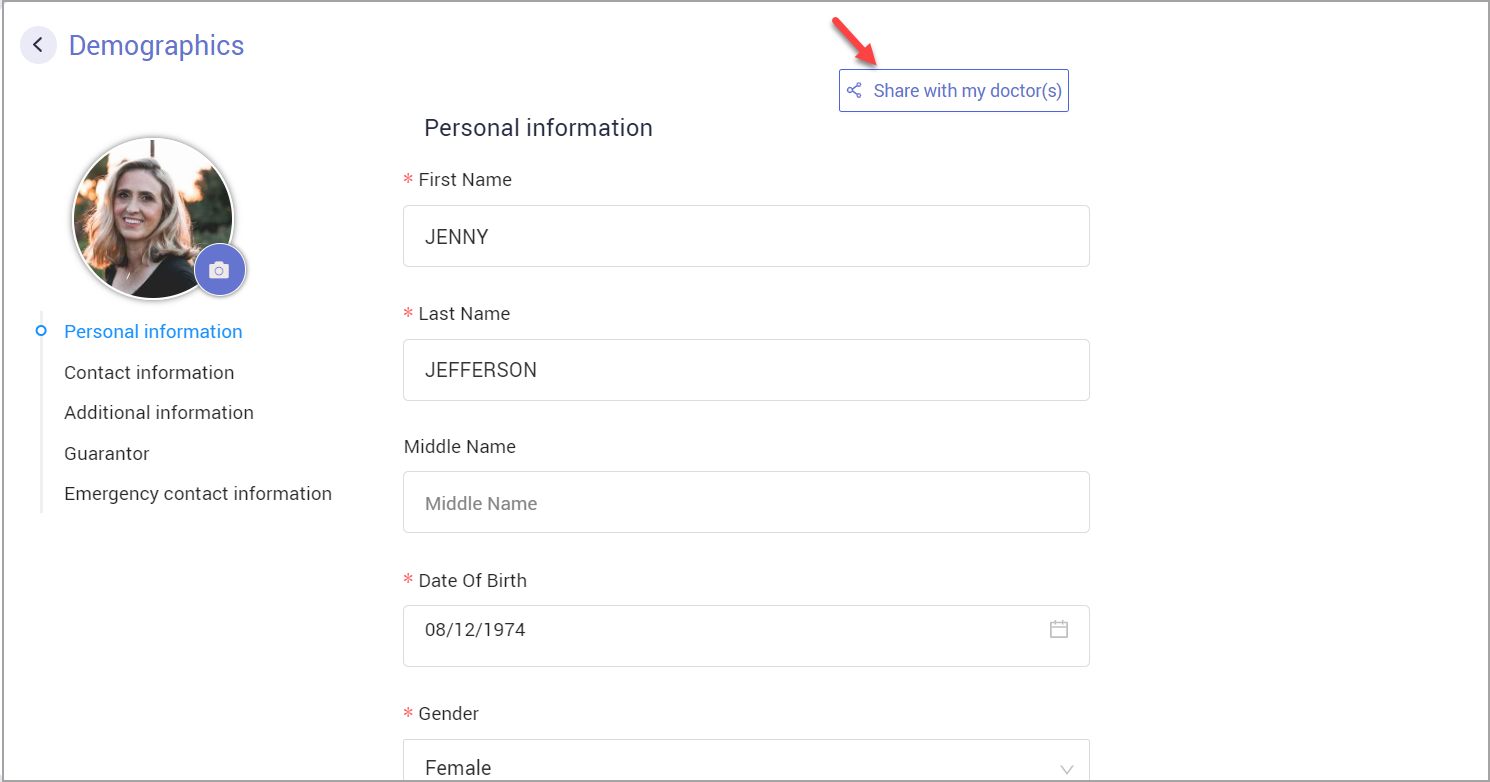
1. Click on the ‘Share with my doctor(s)’ button at the top right side of the demographics page.
2. A search box will pop up on the screen, listing the doctors you have had an appointment with. You can select more than one doctor from the list.
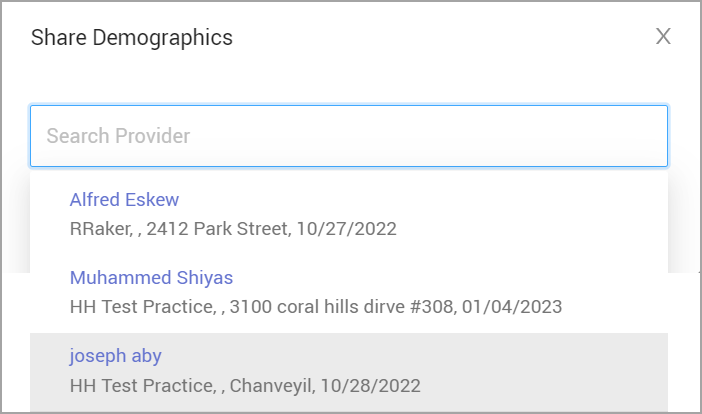
3. Once you have selected all the required doctors on your list, click ‘Share Now.’ Your profile information will be sent to all the selected doctors in a PDF file.
Note: You can also share your information when you click ‘Save Changes’ at the bottom of the demographics screen. Every time you save, HelloHealth will ask you if you want to share your updated information (see the image below). Click on ‘Share’ and follow the exact instructions as mentioned above.

How do you share insurance information?
1. You can share the updated information when you edit your insurance information.
2. To share your insurance information, a pop-up message asking you whether you would like to share your updated information with your provider will show on the screen.
3. Click ‘Share’ and follow the instructions above for sharing your personal information.
