
Password
How Do I Reset my Password?
Once you have signed in to HelloHealth, you can reset your password from any page.
1. Click on the ‘Profile Settings’ gear icon on the top-right part of the screen.

2. This will take you to the ‘My Profile page.’ Once on this page, click on ‘Change password’.

3. When the Change Password screen appears, you can update your password there. Then, click on ‘Save Changes’ to save the change.

What should I do if I forget my password?
1. The HelloHealth’s ‘Sign In’ page has a ‘Forgot Password’ option. Click on it.

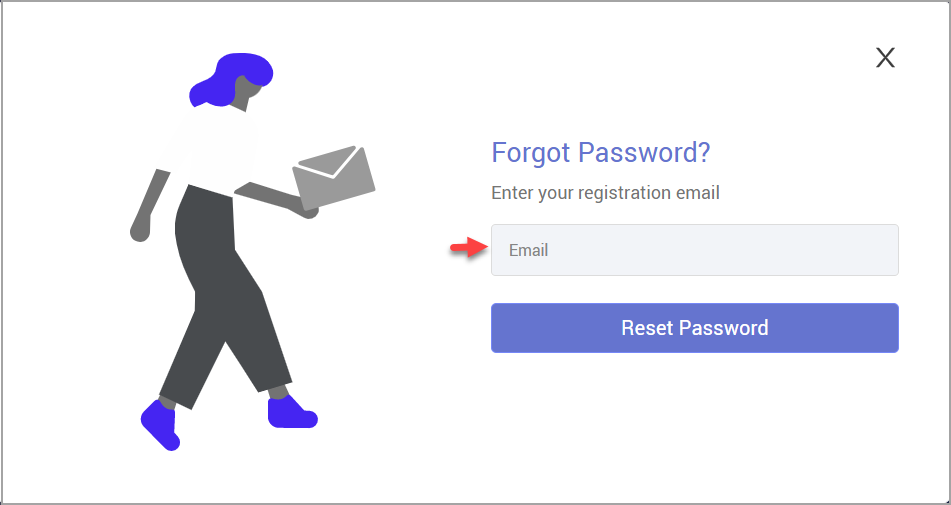
2. Add your email ID registered with HelloHealth in the email field and click ‘Reset Password.’
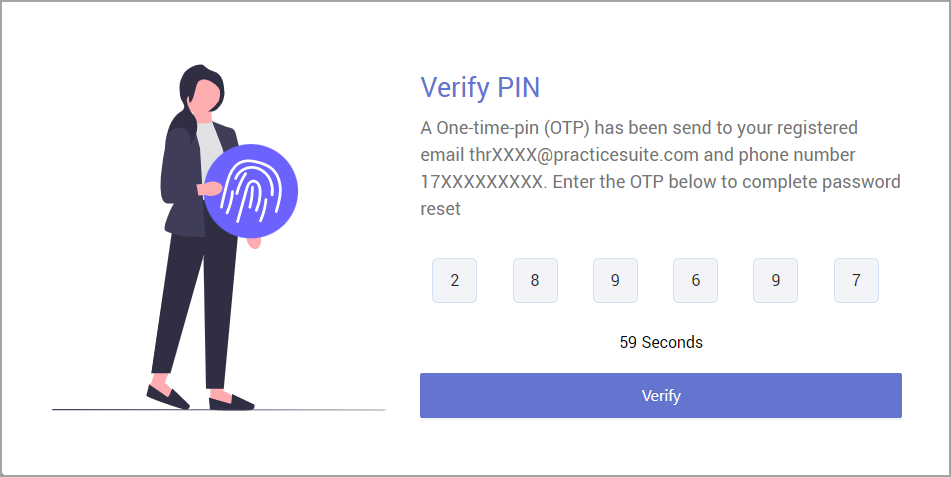
3. An OTP will be sent to the registered email ID and cell phone number. Provide the OTP received within 90 seconds.
4. Provide the new password in both fields and click ‘Reset Password.’

5. You will be returned to the sign-in page, which will display the message ‘Password Reset Successfully.’ A ‘Please Login’ prompt will then appear. From here, you can sign in with your new password.
